Root Android sin PC: ¿sigue funcionando en 2026?

Bienvenido a la Smartphone LAGENIO Blog — donde tus preguntas sobre móviles obtienen respuestas claras.
Busca “root Android without PC”, y encontrarás incontables guías que prometen una solución rápida con un solo clic. La realidad en 2026 es muy distinta: la mayoría de estos métodos están obsoletos, no son fiables o simplemente no funcionan en dispositivos Android modernos.
Este artículo va al grano. Aprenderás si todavía es posible obtener root sin PC, por qué la mayoría de los métodos basados en APK fallan, qué riesgos conllevan y qué es lo que realmente funciona hoy, para que no pierdas tiempo con enfoques que ya no aplican.
Qué significa realmente “obtener root sin PC”
Cuando los usuarios buscan este tema, normalmente quieren una forma de conseguir acceso root directamente en su teléfono, sin usar una computadora, herramientas de línea de comandos ni ninguna configuración complicada. En la mayoría de los casos, esto se traduce en instalar un APK que afirma hacerlo todo automáticamente.
En apariencia, la idea es simple: una app se ejecuta en tu dispositivo, aprovecha una vulnerabilidad del sistema y te concede acceso root en segundos. Este concepto fue lo que hizo tan populares hace años las herramientas de “root con un clic”.
Sin embargo, esa expectativa se basa en cómo solía funcionar Android. Los sistemas Android modernos están diseñados específicamente para impedir que las apps obtengan internamente ese nivel de control, por lo que este enfoque ya no se sostiene en la mayoría de los escenarios reales.
Por qué antes funcionaba y por qué ya no
Para entender por qué estos métodos han caído en desuso, hay que ver cómo ha evolucionado el root.
En versiones anteriores de Android, las herramientas de root se apoyaban en vulnerabilidades del sistema, conocidas como exploits, para obtener acceso elevado. Una vez que se descubría un exploit funcional, los desarrolladores podían empaquetarlo en una app y distribuirlo ampliamente. Así es como originalmente tuvieron éxito muchas herramientas de “root sin PC”.
Hoy, la situación es muy distinta.
Android ha incorporado varias capas de seguridad, incluidos procesos de arranque verificado, controles de permisos más estrictos y comprobaciones continuas de la integridad del sistema. Al mismo tiempo, los fabricantes han endurecido sus propias restricciones bloqueando los bootloaders y limitando el acceso de bajo nivel.
Como resultado, el root ya no consiste en encontrar una vulnerabilidad rápida. Se ha convertido en un proceso controlado que requiere autorización del usuario, modificación del sistema e interacción directa con el firmware del dispositivo, algo que no puede hacerse de forma fiable desde una app estándar.
Qué ocurre realmente cuando lo intentas en 2026
A pesar de estos cambios, muchas apps siguen afirmando que ofrecen acceso root sin PC. En la práctica, su comportamiento está mucho menos a la altura de lo que prometen.
Algunas apps simulan el éxito sin hacer ningún cambio real en el sistema. Muestran un mensaje de confirmación, pero el dispositivo sigue sin root. A menos que los usuarios verifiquen el estado root por su cuenta, esto puede pasar fácilmente desapercibido.
Otras herramientas dependen de exploits desactualizados que solo funcionan en versiones muy antiguas de Android. En dispositivos modernos, simplemente fallan sin avisar o muestran errores, aunque la app en sí no comunique claramente el fallo.
También existe una categoría de apps que genera preocupaciones más serias. Como obtener root requiere permisos elevados, es posible que los usuarios estén más dispuestos a conceder acceso sin cuestionarlo. Esto crea una oportunidad para que las apps soliciten permisos excesivos, instalen software adicional o recopilen datos de formas que no son visibles de inmediato.
En todos estos casos, el resultado rara vez coincide con la promesa de una solución root simple y fiable.
Por qué todavía se necesita una PC para obtener acceso root real
Los métodos modernos de root siguen un proceso fundamentalmente distinto al de los enfoques antiguos de “un clic”. En lugar de explotar el sistema desde dentro, implican modificar componentes clave antes o durante la secuencia de arranque del dispositivo.
Normalmente esto incluye desbloquear el bootloader, parchear imágenes del sistema y flashear esos archivos modificados de vuelta al dispositivo. Herramientas como Magisk se utilizan ampliamente porque ofrecen una forma estructurada y reversible de gestionar el acceso root.
Estos pasos requieren comunicarse con el dispositivo a un nivel que el propio sistema operativo restringe. Una computadora, junto con herramientas como ADB y Fastboot, proporciona ese punto de acceso externo. Te permite interactuar con el dispositivo antes de que Android aplique por completo sus políticas de seguridad.
Sin esta interfaz externa, las operaciones necesarias para obtener un root estable y coherente simplemente no pueden realizarse en la mayoría de los smartphones modernos.
¿Hay alguna forma de obtener root en Android sin PC?
En casos muy limitados, puede que aún sea posible obtener root sin una PC, pero solo bajo condiciones específicas.
Por lo general, esto incluye dispositivos antiguos que ejecutan versiones desactualizadas de Android, donde las vulnerabilidades conocidas no han sido corregidas. En esos escenarios, ciertas herramientas todavía pueden aprovechar esas debilidades para obtener acceso root temporal.
Sin embargo, estas situaciones son cada vez más raras. Los dispositivos Android modernos se actualizan con frecuencia, y la mayoría de los fabricantes ha cerrado los huecos que hicieron posibles estos métodos en primer lugar.
En los smartphones actuales, el root fiable casi siempre sigue otro camino: desbloquear el bootloader y modificar las imágenes del sistema usando herramientas externas. Este proceso requiere una computadora y no puede sustituirse por una simple app.
Por eso, “root sin PC” ya no es un método práctico: en el mejor de los casos, es un enfoque heredado que solo se aplica a dispositivos desactualizados.
Los riesgos detrás de los métodos de root “sin PC”
Una de las razones por las que este tema sigue siendo popular es que muchos artículos se centran solo en la posible comodidad e ignoran las desventajas. En realidad, los riesgos suelen ser más importantes que los beneficios.
La seguridad es la preocupación más inmediata. Las apps que prometen acceso root solicitan por naturaleza altos niveles de control, lo que puede usarse de forma indebida si la fuente no es de confianza. Esto puede provocar acceso no autorizado a los datos o actividad en segundo plano no deseada.
La fiabilidad es otro problema. Incluso en los casos en que un método parece funcionar parcialmente, puede introducir inestabilidad en el sistema, incluidos bloqueos, fallos de actualización o problemas de arranque. Sin las herramientas adecuadas, recuperarse de estos problemas puede ser difícil.
Por último, está el coste de tiempo. Muchos usuarios pasan horas probando distintas apps y guías, solo para descubrir que ninguna funciona en su dispositivo. A menudo, esto es el resultado de seguir información desactualizada que ya no refleja los sistemas Android actuales.
¿Todavía necesitas rootear tu teléfono?
Antes de intentar rootear cualquier dispositivo, vale la pena reconsiderar la motivación original.
En el pasado, el root era a menudo la única forma de eliminar apps no deseadas, controlar permisos o mejorar el rendimiento. Hoy, Android ha evolucionado para incluir muchas de estas funciones de forma nativa. Los usuarios tienen acceso a ajustes detallados de permisos, herramientas de gestión de batería y opciones de desarrollador sin necesidad de acceso root.
Al mismo tiempo, el ecosistema de apps de Android ha madurado. Muchas funciones avanzadas que antes requerían root ahora pueden conseguirse mediante métodos oficiales o compatibles.
Para un gran número de usuarios, esto significa que el root ya no es una necesidad, sino más bien una opción especializada para casos de uso concretos.
Un enfoque más práctico
Dadas las limitaciones y riesgos de obtener root sin una PC, un enfoque más eficaz es centrarse desde el principio en el rendimiento general y la usabilidad del dispositivo.
En lugar de intentar modificar el sistema después de la compra, muchos usuarios ahora priorizan dispositivos que ya ofrecen una experiencia limpia y optimizada. Esto incluye un rendimiento estable, una gestión eficiente de recursos y menos restricciones innecesarias.
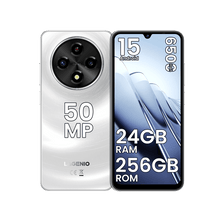
Por ejemplo, smartphones orientados al rendimiento como LAGENIO están diseñados para manejar escenarios de uso exigentes sin necesidad de modificaciones a nivel de sistema. Al ofrecer buena autonomía, funcionamiento estable y una optimización de software eficiente desde el primer momento, reducen la necesidad de que los usuarios dependan del acceso root para lograr un mejor rendimiento.
Este cambio de enfoque refleja una tendencia más amplia: en lugar de forzar el control mediante root, cada vez más usuarios eligen dispositivos que lo ofrecen por diseño.
Conclusión
Obtener root en Android sin una PC es un concepto que persiste en gran medida por guías desactualizadas y afirmaciones repetidas que ya no encajan con la tecnología actual. Aunque todavía puede ser técnicamente posible en casos muy limitados, no es un método fiable ni práctico para dispositivos modernos en 2026.
Entender esto ayuda a establecer expectativas realistas. Te permite evitar herramientas ineficaces, reducir posibles riesgos y centrarte en soluciones alineadas con la forma en que Android funciona hoy.
Para la mayoría de los usuarios, el mejor camino no es buscar un atajo para sortear el sistema, sino elegir un dispositivo y una configuración que funcionen bien sin necesitarlo.