How to Clean a Charging Port Safely: Complete Guide

How to clean a charging port is a common question when a smartphone starts charging slowly, disconnects frequently, or stops charging completely. A charging port is one of the most frequently used parts of a smartphone, which means it is also exposed to dust, lint, sand, and moisture over time. When debris builds up inside the port, the charging cable may not connect properly, causing charging issues.
However, a dirty charging port is not the only possible cause. Water exposure, extreme temperatures, damaged charging cables, and hardware problems can create similar symptoms. Before cleaning your charging port, it is important to identify what is causing the issue so you can choose the right solution and avoid further damage.
Common Charging Port Problems and How to Handle Them
Dust and Lint Inside the Charging Port
For most users, dust and pocket lint are the most common reasons for charging problems. Small fibers from clothing or bags can gradually collect inside the port and prevent the USB-C connector from making a proper connection.
You may notice that the charging cable feels loose, charging stops when the phone moves, or the cable needs to be positioned at a certain angle to work. In many cases, carefully removing the debris can restore normal charging.
Before cleaning, turn off your phone and use a flashlight to check inside the port. If you see visible dust or lint, remove it gently instead of forcing the cable into the port.
Moisture or Water Inside the Charging Port
If your phone has been exposed to rain, splashes, or accidental water immersion, the charging issue may be caused by moisture rather than dirt.
Many smartphones automatically stop charging when moisture is detected because charging with water inside the port can lead to corrosion or electrical damage.
If the charging port is wet, disconnect the charger immediately and place the phone with the port facing downward to allow water to drain. Leave it in a dry, ventilated area until the port is completely dry before charging again.
Avoid using hot air from a hair dryer or other heating devices. Rapid heating may damage internal components or cause moisture to move deeper into the phone.
Sand and Dirt After Outdoor Activities
Sand is especially challenging because it is harder and more abrasive than normal dust. If your phone has been used at the beach, in deserts, or in dusty work environments, sand particles can enter small openings and affect charging performance.
If sand gets into the charging port, avoid repeatedly inserting the charging cable. This can push particles further inside and increase friction between the connector and charging contacts.
Instead, switch off the phone and remove loose particles carefully. Use gentle airflow or a soft brush first, then clean remaining debris only if necessary.
Charging Problems in Cold Weather
Low temperatures can temporarily affect smartphone charging. In cold environments, batteries may reduce charging speed or stop charging completely as a protective measure.
This situation is common during winter camping, outdoor work, hiking, or extended exposure to freezing temperatures.
If your phone stops charging in cold weather, allow it to return to normal temperature naturally before connecting a charger. Avoid placing it directly near heaters or using strong heat sources, as sudden temperature changes may create condensation inside the device.
When Your Phone Has Been Frozen
A frozen phone requires extra care because melting ice can introduce moisture into the charging port.
If ice has formed around the charging area, remove visible ice carefully and wait until the phone reaches room temperature. Make sure the port is completely dry before attempting to charge.
Charging a device while ice or moisture remains inside the port can increase the risk of damage.
How to Clean a Charging Port Safely
Once you confirm that dust or debris is causing the issue, follow these steps to clean the charging port properly.
First, turn off your phone and disconnect any cables or accessories. Use a flashlight to inspect the inside of the port and identify where debris has accumulated.
For loose dust, start with gentle cleaning methods. A soft brush or compressed air can remove surface particles without touching the delicate components inside the port. Keep the phone positioned so the charging port faces downward, allowing debris to fall out naturally.
If compacted lint remains, use a wooden toothpick or plastic cleaning tool to carefully remove it from the edges of the port. Move slowly and avoid pressing against the internal charging contacts, as these parts are sensitive and can be damaged by excessive force.
After cleaning the phone itself, check the charging cable as well. Dirt or damage on the USB-C connector can affect charging performance and may transfer debris back into the port.
What to Avoid When Cleaning a Charging Port
A charging port contains small electronic contacts, so aggressive cleaning methods can cause more harm than good.
Avoid using sharp metal objects such as needles, paper clips, pins, or knives. Although they may appear effective for removing dirt, they can scratch the charging contacts, damage internal components, or create electrical issues.
You should also avoid pouring liquids directly into the charging port. Water, alcohol, or cleaning solutions may leave moisture inside the device and increase the risk of corrosion.
Using excessive force is another common mistake. The goal is to remove debris gently, not to scrape or push inside the port.
How Rugged Phones Handle Water, Dust, and Extreme Conditions
For people who regularly work outdoors or enjoy activities such as camping, hiking, and travel, charging port problems can happen more frequently because phones are exposed to harsher environments.
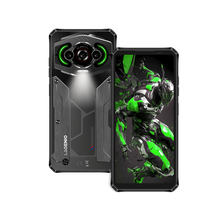
Rugged smartphones are designed to provide additional protection against challenges such as dust, water, drops, and temperature changes. Many rugged phones feature IP68 or IP69K protection, which helps prevent dust intrusion and improves resistance to water exposure. Some models also follow MIL-STD-810H testing standards for durability in demanding environments.
This protection can be valuable for users who spend time in places such as construction sites, beaches, forests, or cold outdoor locations. While rugged phones are built to handle tougher conditions, regular maintenance is still important. Cleaning the charging port after exposure to dirt, sand, or moisture helps maintain reliable performance over time.
How to Prevent Charging Port Problems
Regular care can reduce the chance of charging issues. After using your phone in dusty, sandy, or wet environments, check the charging port before connecting a cable.
Keeping your charging cable clean is also important because debris on the connector can easily enter the phone port. For users who frequently participate in outdoor activities, occasional inspection and cleaning can prevent small problems from becoming bigger issues.
When Should You Repair the Charging Port?
If cleaning does not solve the problem, the issue may not be caused by dirt. A damaged charging port, worn charging contacts, faulty cable, or internal hardware failure may require professional repair.
Consider getting your phone checked if the charging cable remains loose, the phone cannot recognize any charger, or charging continues to fail after careful cleaning.
Conclusion
A dirty charging port is one of the most common reasons for charging problems, but it is important to identify the real cause before taking action. Dust, lint, water, sand, and extreme temperatures require different solutions, and using the wrong cleaning method may create additional damage.
By cleaning your charging port carefully and maintaining your device after outdoor use, you can keep your phone charging reliably. For users who often face challenging environments, a rugged smartphone with protection against water, dust, and temperature changes provides an extra level of durability and confidence.